HTML
Document structure, tags, links, images and media, lists, tables, forms, semantic HTML, and the basics of accessibility and SEO.
Start with basic problem solving to build your logical thinking and coding fundamentals. Everyone must complete this level, regardless of their future domain.
Select a step to see its resources
If you're not into CP, start with web development: from the basics to full-stack MERN.
Document structure, tags, links, images and media, lists, tables, forms, semantic HTML, and the basics of accessibility and SEO.
Selectors, the box model, positioning, Flexbox, Grid, CSS variables, transitions and animations, media queries and responsive design.
One of the most important parts of web development. Complete the fundamentals properly before moving to React.
Components, props, state and hooks, routing and API integration.
Node.js, Express.js, MongoDB, authentication and security. Watch the short intro first to understand the basic concepts.
Connecting a React frontend to a Node.js and Express API backed by MongoDB.
The React framework for production: file-based routing with the App Router, layouts, server and client components, data fetching, API routes and deployment.
Mark a topic as done only after you've understood and practised it. If your main course skips something, use the official docs below. The topic checklists are a learning guide, not a lecture-by-lecture map of the playlists.
Happy learning!
Everything to cover, topic by topic. Tick a topic once you’ve understood and practised it. Ticks stay in this browser.
A working project teaches more than another tutorial. Pick ideas that match what you’ve learned, make each one your own, and track what you’re building.
Page structure, links, images and semantic HTML.
Form inputs, attributes and validation.
Navigation between pages and a shared layout.
Flexbox, Grid and media queries.
Turning a real design into CSS, pixel by pixel.
DOM events, state and edge cases.
Adding, editing and deleting items; saving them in localStorage.
Arrays of objects, scoring and screen changes.
fetch, async/await and a public API.
Forms, totals and summaries.
Pick a free API and build a small app around its data.
Components, props, filtering and sorting.
Layout, routing and data from an API.
Build along, then build a similar project on your own.
Sign-up, login, hashed passwords and JWT.
REST routes, CRUD and MongoDB models.
Per-user data behind authentication.
Products, carts, orders and relations between them.
React frontend, Express API and MongoDB, with auth, deployed and on GitHub.
4 checks must pass before a project goes on your résumé
A clear README
What it does, screenshots or a GIF, how to run it, and what you learned.
A clean commit history
Meaningful messages, not one giant “final” commit.
It handles failure
No internet, empty lists, wrong input: it shows a message instead of crashing.
Someone else has used it
A friend, a classmate, your hostel wing. Real users find what you missed.
If you find problem solving interesting, continue with CP. Climb the TLE CP-31 sheet rating by rating, then go deep topic-wise with CSES, CP-Algorithms and the USACO Guide.
Start solving the CP-31 sheet for basic logical questions, STL and maths.
Topic-wise problem solving, with the CSES book for CP concepts.
CP concepts, with topic-wise CSES, Codeforces and SPOJ problems.
CP concepts and topic-wise problems for practice.
Make sure you practise the questions rating-wise and topic-wise.
All the best
Learn from data and build models, from Python all the way to AI agents. No coding experience? No problem: everyone starts at "Hello World".
AI makes machines act smart, ML learns from data, deep learning learns with neural networks, and GenAI creates new content. Machines learn from examples: supervised (with labels), unsupervised (finding patterns) and reinforcement (learning from rewards and mistakes).
Most of it runs in the browser, so a slow laptop is fine. Google Colab and Kaggle notebooks give you free GPUs, Hugging Face hosts thousands of free models, and GitHub is where every project lives. Install VS Code and Jupyter later, once projects grow.
The base language of AI: it reads like English and every major AI library uses it. Variables, if/else, loops, functions, lists and dicts are enough to start; OOP can wait. Type everything out, no copy-paste.
Intuition first, formulas later. Linear algebra (data is a table of numbers), calculus (gradient descent is walking downhill in the dark, checking the slope at every step) and probability and statistics (how confident a model is). No need to memorise formulas.
Most of ML is this part: garbage in, garbage out. Load data with NumPy and pandas, clean it, plot it with matplotlib and explore it (EDA) to spot patterns. Your first dataset: Titanic.
Three ideas: regression (predict a number), classification (pick a category) and clustering (find groups on its own). Watch out for overfitting: a model that mugs up answers fails when the numbers change. Build with scikit-learn, one algorithm at a time.
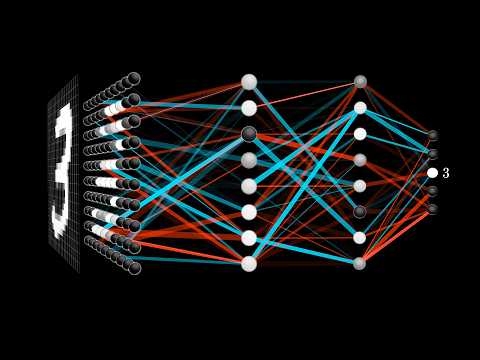
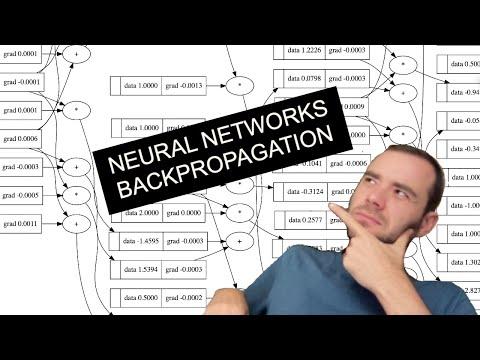
Neural networks learn in layers. Backpropagation, CNNs for images and RNNs for sequences, leading to computer vision (eyes for machines) and NLP (ears and a tongue for machines). Concepts first, then code in PyTorch.
An LLM predicts the next word, like your phone's autocomplete but far bigger. Transformers, prompting, LangChain and RAG (answering from your own documents). Text, images, audio and video can all be generated, and models hallucinate: wrong answers with full confidence. Use it first, then look under the hood.
LLM + tools + loop = agent. A chatbot talks; an agent plans, uses a tool, checks the result and fixes its own mistakes. Tools, memory and LangGraph, where an agent runs as a graph of steps.
Bias in the data ends up in the model. Deepfakes can fake anyone's face or voice. And when AI makes a mistake, you are accountable. After every project, ask: could this hurt anyone?
Intuition first, code later. You don't need to memorise formulas.
Roles differ: data analyst, data scientist, ML engineer, AI engineer, MLOps and research scientist all use these skills in different mixes.
Models overfit. You won't. Start building.
Everything to cover, topic by topic. Tick a topic once you’ve understood and practised it. Ticks stay in this browser.
A working project teaches more than another tutorial. Pick ideas that match what you’ve learned, make each one your own, and track what you’re building.
Train an image, sound or pose model with your webcam and test it live. Zero code.
Load a Kaggle dataset in pandas, clean it and make plots that show three patterns.
Clean missing values, build features and predict who survived. Share your notebook.
Regression with scikit-learn: train/test split, a baseline, then a better model.
Turn text into features and classify messages as spam or not.
Group similar items with k-means and explain what each cluster means.
Submit predictions, check the leaderboard and learn from top notebooks.
Train a CNN on a small image dataset in Colab with a free GPU.
An LLM app that answers questions from your own PDFs using LangChain.
An agent that plans, searches the web, checks results and writes a short report.
4 checks must pass before a project goes on your résumé
A clear README
What it does, screenshots or a GIF, how to run it, and what you learned.
A clean commit history
Meaningful messages, not one giant “final” commit.
It handles failure
No internet, empty lists, wrong input: it shows a message instead of crashing.
Someone else has used it
A friend, a classmate, your hostel wing. Real users find what you missed.
51 sessions of complete DevOps training, from Linux to infrastructure as code.
Build real mobile apps with Flutter, from your first line of Dart to publishing an app other people use.
Install Git, VS Code with the Flutter extension, the Flutter SDK and Android Studio, then run the default counter app on your phone or the emulator. Every line of flutter doctor should be green.
Variables, types, null safety, lists, maps and sets, functions, and object-oriented programming (classes, inheritance, abstract classes, mixins). Plus Git and GitHub: commits, branches and pull requests.
Stateless and stateful widgets, layouts (Row, Column, Stack, ListView), forms and validation, navigation between screens, Material 3 theming, and Figma basics.
Futures and async/await, REST APIs and JSON parsing, state management with Provider or Riverpod (learn one properly), and local storage with shared_preferences, SQLite or Hive.
Firebase Authentication, Cloud Firestore and real-time listeners, security rules, Cloud Storage, push notifications with FCM, and separating UI, logic and data layers. The free tier is enough; never commit secret keys.
Unit and widget tests, debugging with DevTools, app signing and release builds, and publishing on Google Play. New personal Play accounts must run a closed test first; until then, share a signed APK on GitHub Releases.
Use AI tools to explain errors and concepts, not to write your projects. Never commit code you can't explain line by line.
Pick one framework and stick with it. The concepts transfer.
Don't try to learn everything. Build something real.
Everything to cover, topic by topic. Tick a topic once you’ve understood and practised it. Ticks stay in this browser.
A working project teaches more than another tutorial. Pick ideas that match what you’ve learned, make each one your own, and track what you’re building.
Dart classes, lists and maps, and user input. Push it to GitHub with a README.
Grid layouts, button state and edge cases like divide by zero.
Lists, adding and deleting items, checkbox state.
Forms, input validation and showing results.
State across screens, scoring and navigation.
Multiple screens, a custom theme, a scrolling list and navigation.
REST APIs, JSON, loading and error states, saved favourites.
Search, pagination, detail screens and favourites saved locally.
SQLite or Hive, charts with fl_chart, monthly summaries.
The public Codeforces API: rating graph and recent contests.
Sign-up and login, per-user Firestore data, real-time updates, security rules.
Daily menu, ratings and notifications before meals.
Image upload, posts with categories, contacting the owner.
Event listings, RSVPs, reminders and admin roles for club heads.
Per-subject attendance and a "how many classes can I miss" calculator.
Listings, requests, chat between users and trust ratings.
Upcoming contests from several platforms, with reminders.
4 checks must pass before a project goes on your résumé
A clear README
What it does, screenshots or a GIF, how to run it, and what you learned.
A clean commit history
Meaningful messages, not one giant “final” commit.
It handles failure
No internet, empty lists, wrong input: it shows a message instead of crashing.
Someone else has used it
A friend, a classmate, your hostel wing. Real users find what you missed.